I have had my second session in the motion capture studio to attempt to get Iae's motion captured for the animation. This time I was acting in the motion capture suit and found it much easier to achieve the correct movements in the capture since i knew exactly what the character movements should be.
The final captures turned out well however there was an issue after exporting the captures to fbx files that made the motion captured skeleton's rig spin 360 degrees at random intervals when opened in maya, unfortunately i couldnt find a solution to this issue but i believe that it would be to do with the export settings in vicon blade. For the animation i opened the graph editor in maya and moved the rotated frames in the hips back to their origional positions (or as close as possible manually) however because it isnt precise the captures with Iae have shakey of foot planting in some places.
If i was to attempt directing a mo-cap actor again after this session i would focus more on attempting to get the actor to imitate the percived character actions rather than trying to interact directly to get the disired responce. The reason i would do this is because i believe that the only way of getting the exact right reactions to a situation is to have the actor in that exact situation and even if those conditions were met i doubt the outcome would be as benifitial to an animation as some exaggerated acting.
Showing posts with label personal development. Show all posts
Showing posts with label personal development. Show all posts
Thursday, 18 April 2013

Wednesday, 3 April 2013
profesional mo cap studio first attempt
Recently i was able to use the professional motion capture studio in the university of abertay to capture what the scenes i needed for my final animation. Unfortunately could only get the character Kuats scenes done however i will soon have the oppertunity to capture Iae's performance using the studio also.
Due to the characters different builds i got a relitive to help with the capture of Kuat with the intention of getting natural and realistic movements by directing. I believe that this was in the end achieved with some slight difficulties along the way and the captures for Kuat's character are complete.
However I believe that due to being an animator attempting to suddenly direct a live performer was unusual, especially concidering at the time i was attempting to realistic movements and therefore avoided interfering too much where possible. The reason for saying this is that i am used to leading the performance through animated characters while as in this situation i was allowing the actor to lead the performance.
During the next capture session i am going to act the character Iae personally and attempt to focus on the characters performance rather than my own performance. Also concidering i have a better idea of the how the character will act hopefully the process should be smoother and achieve a better final result.
Due to the characters different builds i got a relitive to help with the capture of Kuat with the intention of getting natural and realistic movements by directing. I believe that this was in the end achieved with some slight difficulties along the way and the captures for Kuat's character are complete.
However I believe that due to being an animator attempting to suddenly direct a live performer was unusual, especially concidering at the time i was attempting to realistic movements and therefore avoided interfering too much where possible. The reason for saying this is that i am used to leading the performance through animated characters while as in this situation i was allowing the actor to lead the performance.
During the next capture session i am going to act the character Iae personally and attempt to focus on the characters performance rather than my own performance. Also concidering i have a better idea of the how the character will act hopefully the process should be smoother and achieve a better final result.
Tuesday, 26 March 2013
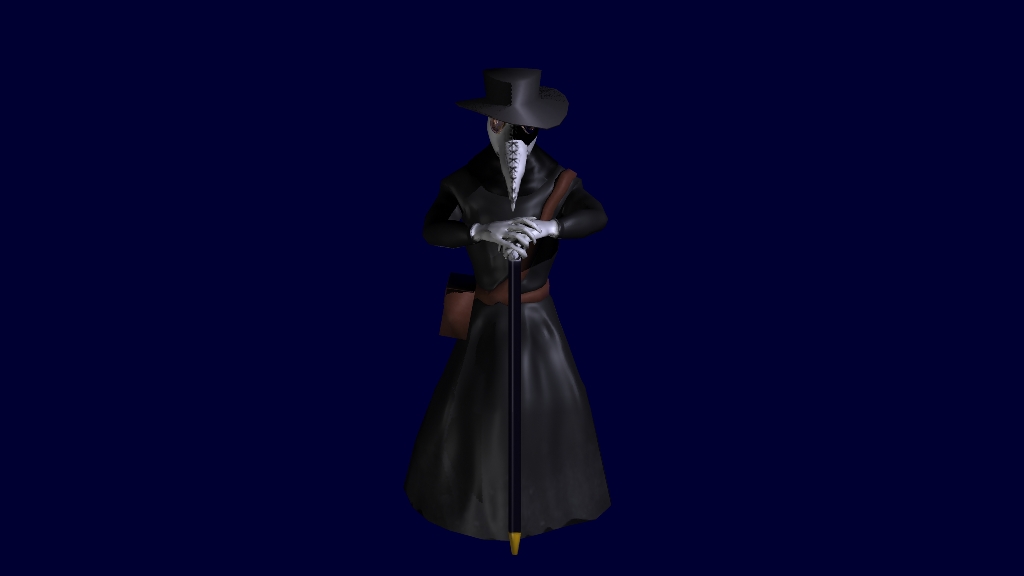
urubutsin finished character

Monday, 25 March 2013
urubutsin body and retop
I have finished creating the body mesh for urubutsin in mudbox, and retopologised the body and head.

This is the finished base model for urubutsin in mudbox, he is missing a number of assets (hat,cane. etc) but i will be creating them at a later time.
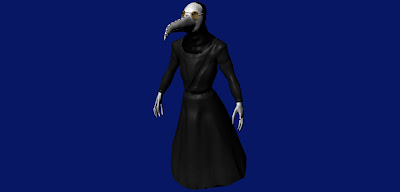 This is the retopologised model in maya using a lot less polygons however in this image the normals applied to the head mesh had done something odd. The normals were facing the correct way and the head looked good in the high quality render viewport but when rendered they looked reversered. I attempted to invert the normals, edit the green in the normal map itself and still had the same issue no matter what i tried. Below is a closer render of the head.

Eventually i discovered it was the way that i had created the head that caused the issue. I had created it by retopolgising half the head and baking half the high poly head textures and normals onto it, then mirroring the mesh and attaching the two halfs of the head. So to fix the issue i simply unwrapped the head when it was a whole and re-baked the entire head texture onto it and the normals are now the correct way and it looks much better.
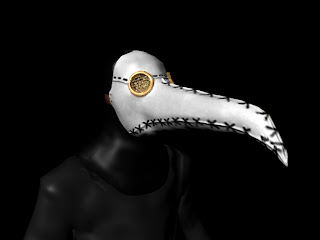 I have also added a seperate shader for the eyepeice in this render.

This is the finished base model for urubutsin in mudbox, he is missing a number of assets (hat,cane. etc) but i will be creating them at a later time.
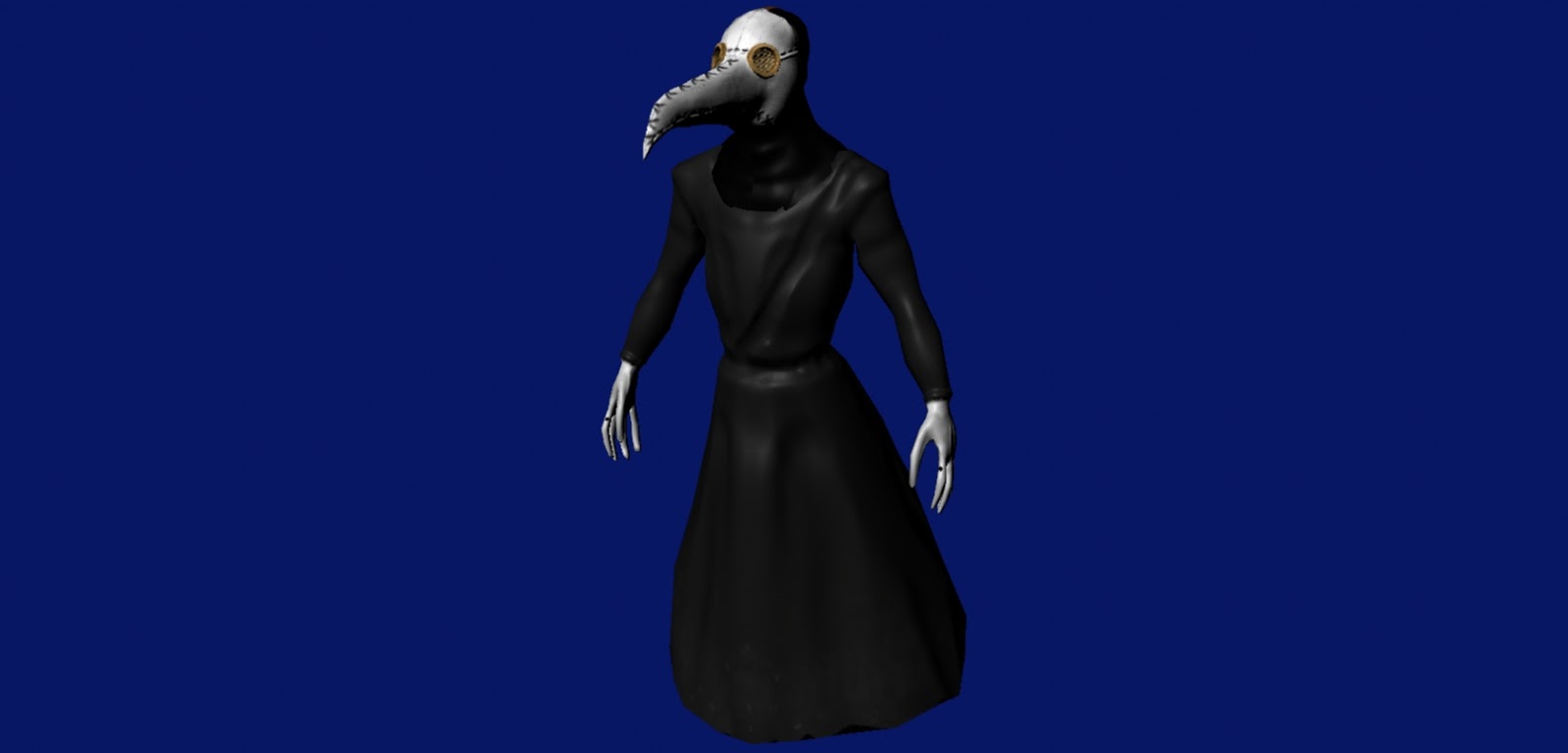

Eventually i discovered it was the way that i had created the head that caused the issue. I had created it by retopolgising half the head and baking half the high poly head textures and normals onto it, then mirroring the mesh and attaching the two halfs of the head. So to fix the issue i simply unwrapped the head when it was a whole and re-baked the entire head texture onto it and the normals are now the correct way and it looks much better.

Wednesday, 20 March 2013
Urubutsin character head
I have created the head for the character urubutsin in the final animation using mudbox Im not overly experienced with it having previously only done quick tests and general messing about with it in the past however i am fairly pleased with the finished head.

 Here is a render of the model after a bit more detail had been added and also painting the textures onto the model. This was actually again my first attempt at texturing in mudbox aswell and again I am pleased with the quality the of the finished head.
However there are a few issues one being the loss of detail the closer to the tip of the mask this was simply due to the fact that the model began as a mudbox basic head and I edited it to this shape and because of that the topology caused there to be a lot more divisions at the base of the head than the tip. The second issue is the polygon count which i will need to reduce through retopologising the model and baking the textures to make it suitable for animation.

This was actually my 2nd model of the head as my laptop crashed soon after finishing the model the first time and the file was unfotunately lost.

However there are a few issues one being the loss of detail the closer to the tip of the mask this was simply due to the fact that the model began as a mudbox basic head and I edited it to this shape and because of that the topology caused there to be a lot more divisions at the base of the head than the tip. The second issue is the polygon count which i will need to reduce through retopologising the model and baking the textures to make it suitable for animation.
Thursday, 14 March 2013
temple creation for final animation
In the final animation most of the animation will be based within a temple to astral deities. so looking I began to look at gothic church's that fit into the time period in an attempt to imitate the architecture from that time.

 Here is some of my current progress renders of the temple i do have appropriate tileable textures ready to apply however i am wanting to add more detail to the model first if i have the time to do so.


Thursday, 7 February 2013
motion capture and keyframed animation first attempt
I attempted to simply record and fix a peice of motion capture footage using the kinect system and animation layers in maya. For the sake of test i simply added some quick rigging to the kinect skeleton in maya and used the animation layers to blend the key-framed and motion captured footage together to remove some of the glitches that appearred in the footage.
It worked well and served its purpose however i now need to focus on attempting to attach the rig i'll be using to the skeleton so that i can quickly apply the animation to a custom rig.
It worked well and served its purpose however i now need to focus on attempting to attach the rig i'll be using to the skeleton so that i can quickly apply the animation to a custom rig.
Rotoscope and Keyframed animation first attempt
I have begun the combination tests of adding keyframed animation to both the rotoscope and motion capture footage. I am avoiding the combination of motion capture and rotoscoping given that they are both ways of achiving a similar outcome and with the exception of facial expressions there is no benefit to combining them.
My first attempt at combining techniques was the combination of rotoscope and keyframed animation using a the construct scene from The Matrix. I used rotoscoping to animate the scene then attempted to add to it using keyframed animation however even though the peice was animated and looked decent, through exagerating the movements of the characters I lost sight of the inital point of the scene and the movements werent approriate to the peice.
My next attempt i will be trying to focus more on the emotional performance in the scene rather than the movement within it.
My first attempt at combining techniques was the combination of rotoscope and keyframed animation using a the construct scene from The Matrix. I used rotoscoping to animate the scene then attempted to add to it using keyframed animation however even though the peice was animated and looked decent, through exagerating the movements of the characters I lost sight of the inital point of the scene and the movements werent approriate to the peice.
My next attempt i will be trying to focus more on the emotional performance in the scene rather than the movement within it.
Saturday, 17 November 2012
Motion capture using kinect
During pitch week one of the peices of feedback i recieved was to download some motion capture data and attempt to do some clean up animation on it. However instead of downloading the data i decided to try and capture some myself using a Xbox Kinect system, motionbuilder and software from www.brekel.com . Rather than explain step by step i will instead link i followed to achieve this http://www.reubenfleming.co.uk/tuts.html .
This is an example of the captured data imported into maya, i have not attempted to edit it yet however i will be attempting it in the next few weeks. The most interesting part of doing this however was being able to have a character mesh attached to the skeleton while capturing which was entertaining and gave me some ideas that may be used in a future project.
This is an example of the captured data imported into maya, i have not attempted to edit it yet however i will be attempting it in the next few weeks. The most interesting part of doing this however was being able to have a character mesh attached to the skeleton while capturing which was entertaining and gave me some ideas that may be used in a future project.
Wednesday, 7 November 2012
Rotoscope animation
Continuing on from my mimics before i have been looking into rotoscope animating in 3d. My reasoning behind this was very similar to my reason for the still image mimics, to try and imitate the feel and performance of a live actor in a 3d character. Also when researching into gollum as mentioned previously, I discovered that in some cases this was a technique they used to imitate Andy Serkis's performance. Allthough its a rather old technique which has been used in many 2d animations and also used by walt disney to study movement instead of direct imitation and tracing it was interesting to see it being transfered into a 3d character.
At any rate below is my attempt at rotoscope animation in 3d using a scene from the film "Taxi Driver".
At any rate below is my attempt at rotoscope animation in 3d using a scene from the film "Taxi Driver".
Allthough its not a perfect representation it is fairly close and i do believe i could have gotten it a lot more accurate if i had given it another few passes. What i have discovered from this test is firstly and rather predicibly that it is possible to re-create live action scenes in 3d while still keeping the same impact and emotion that is in a scene and secondly that the technique is also useful for studying the more subtle movements in a human or any creature in 3d also.
While animating this peice one thing that i did notice was that as an animator i wanted to exaggerate the movements of the character beyond the limits of the actor and had to stop myself from adding extra animation where there was none. Also that the live actor rarely blinks which is something that i feel in animation adds life to a character.
Subscribe to:
Posts (Atom)